This is an eight-part series on setting up an HPC cluster on AWS. The main design elements of the cluster will be as follows
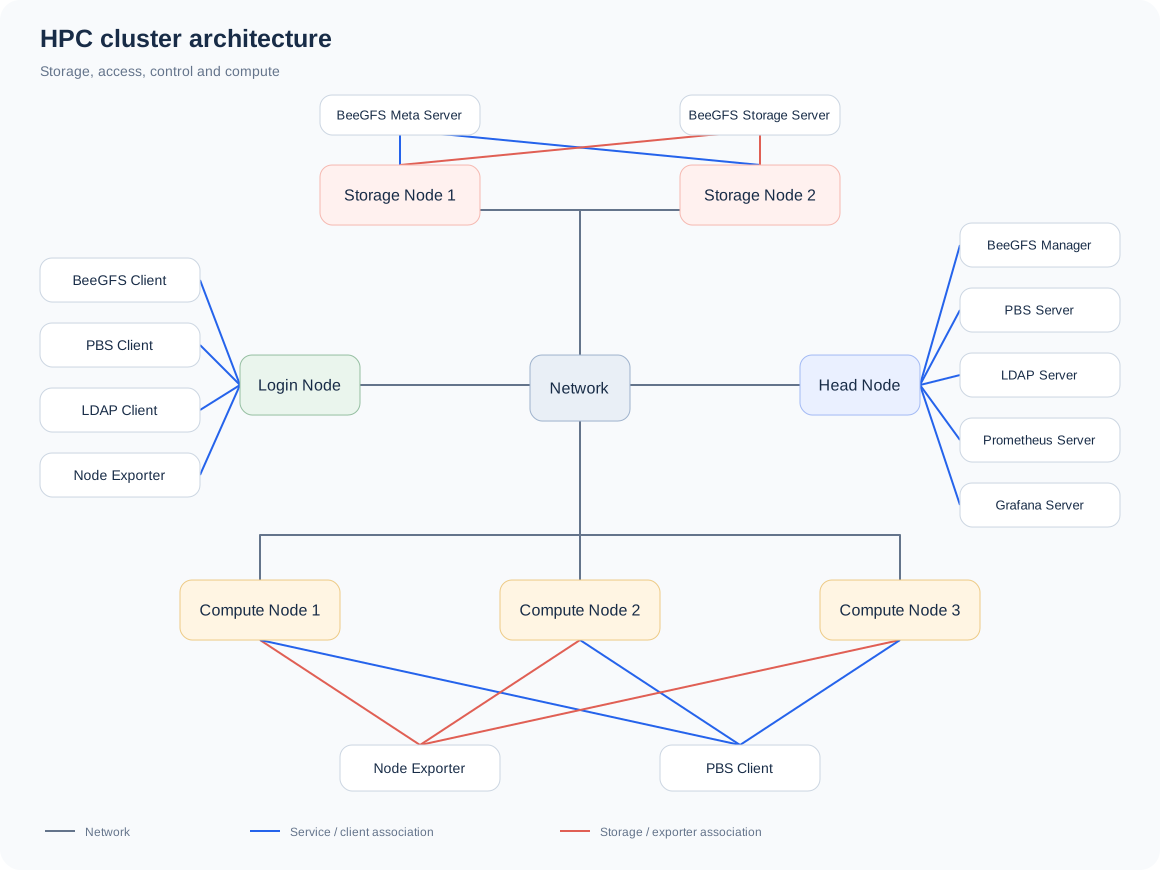
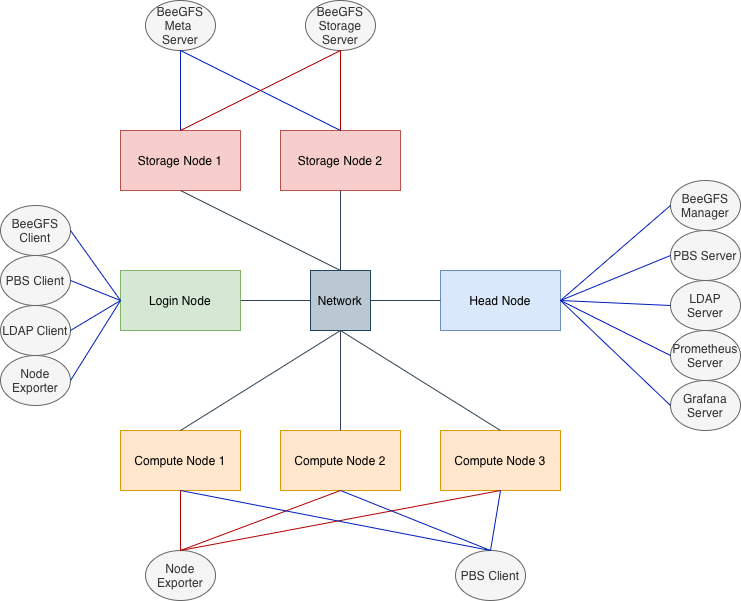
The cluster will have seven virtual machines (VMs)
One head / control node
One login node
Three compute nodes
Two storage nodes
All the VMs will have the OS Rocky Linux 9.6 (Blue Onyx)
AMI: ami-0f2425d4cce4e97dd
Instance Type: t3.2xlarge
BeeGFS is used as the shared filesystem
OpenPBS is used as the HPC job scheduler
OpenLDAP is used for user management
Prometheus and Grafana is used for cluster monitoring
We use the following nomenclature throughout
Each machine in the cluster will be called node
The laptop or the desktop we use will be called local system
The cluster setup is divided into eight parts
The AMI and instance type used here may not be available on the AWS free tier. The main GitHub repo for is available here.